With Crypto operating 24/7 it’s challenging to keep up with current news while also going deep on a report. Writing forces you to focus on a project or sector deeply, but you still have to track headlines that could change your thesis or reframe the data.
To solve this, I vibecoded an AI research assistant to keep me up to date with the latest news in crypto and finances everyday, in around 20 minutes reading time – down from 1-2 hours. It runs on locally hosted models including OpenAI’s GPT OSS 20b, and Deepseek R1 via LM studio.
What’s included
Everyday, the local AI system outputs a daily brief from curated list of news and data sources. The data is organized into sections including:
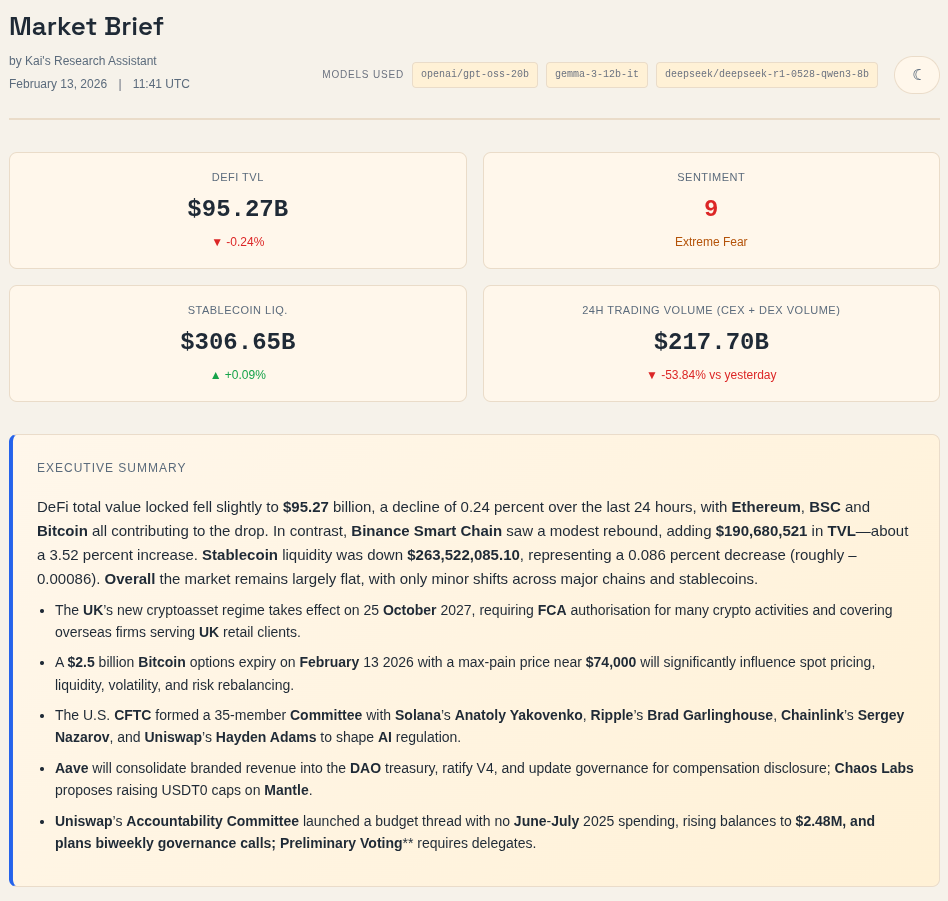
- Market overview / hero section: Gives me a high-level snapshot of the most important events and metrics across crypto. GPT OSS 20B ranks news from approved sources based on my priorities and generates an executive summary to surface the highest-signal headlines first.
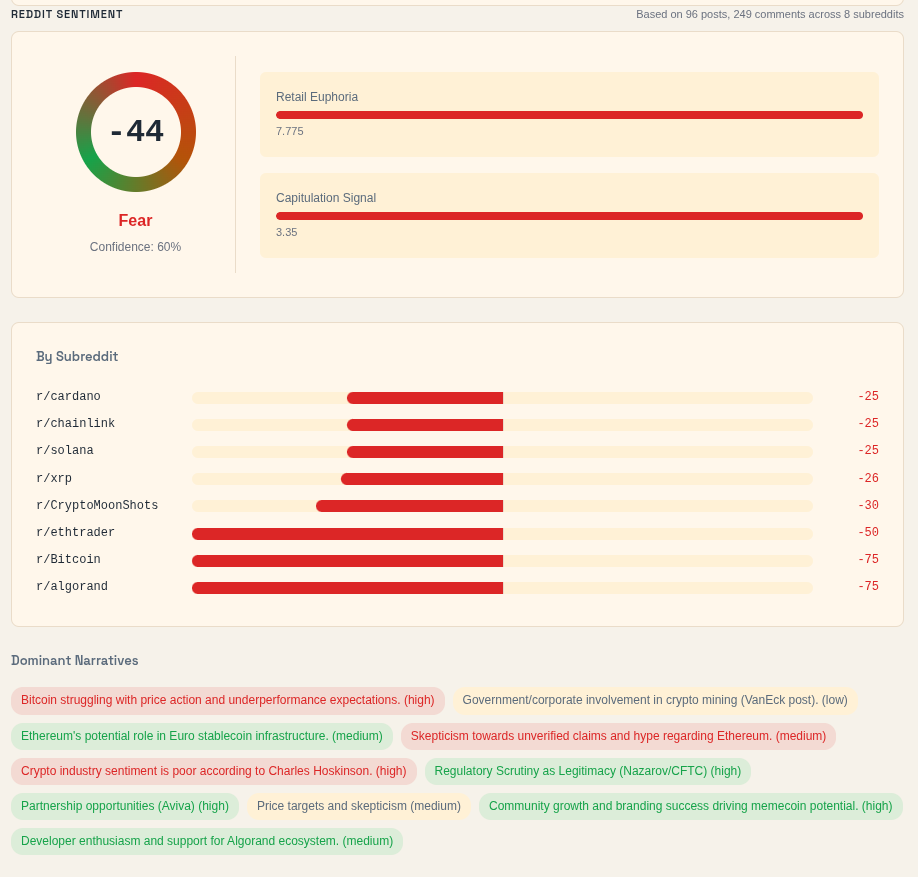
- Sentiment section: Combines the Fear & Greed Index with Reddit sentiment to gauge how the market, and the marginal buyer, are feeling. It is not a standalone indicator, but it helps me spot mood shifts and possible dislocations in asset prices.
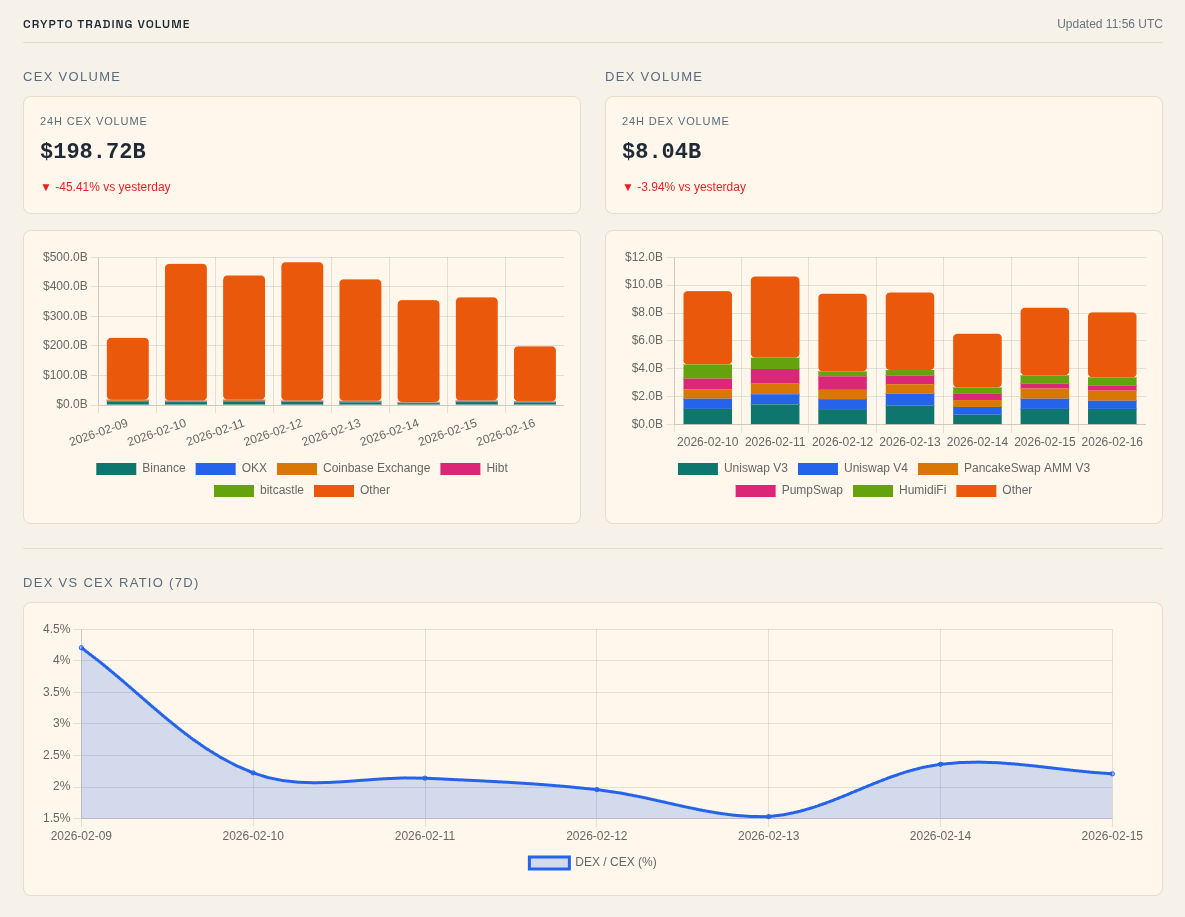
- Crypto trading volume: Tracks CEX and DEX trading volume to show whether speculation is expanding or cooling off. The DEX-to-CEX ratio also helps me see whether trading activity is shifting further onchain.
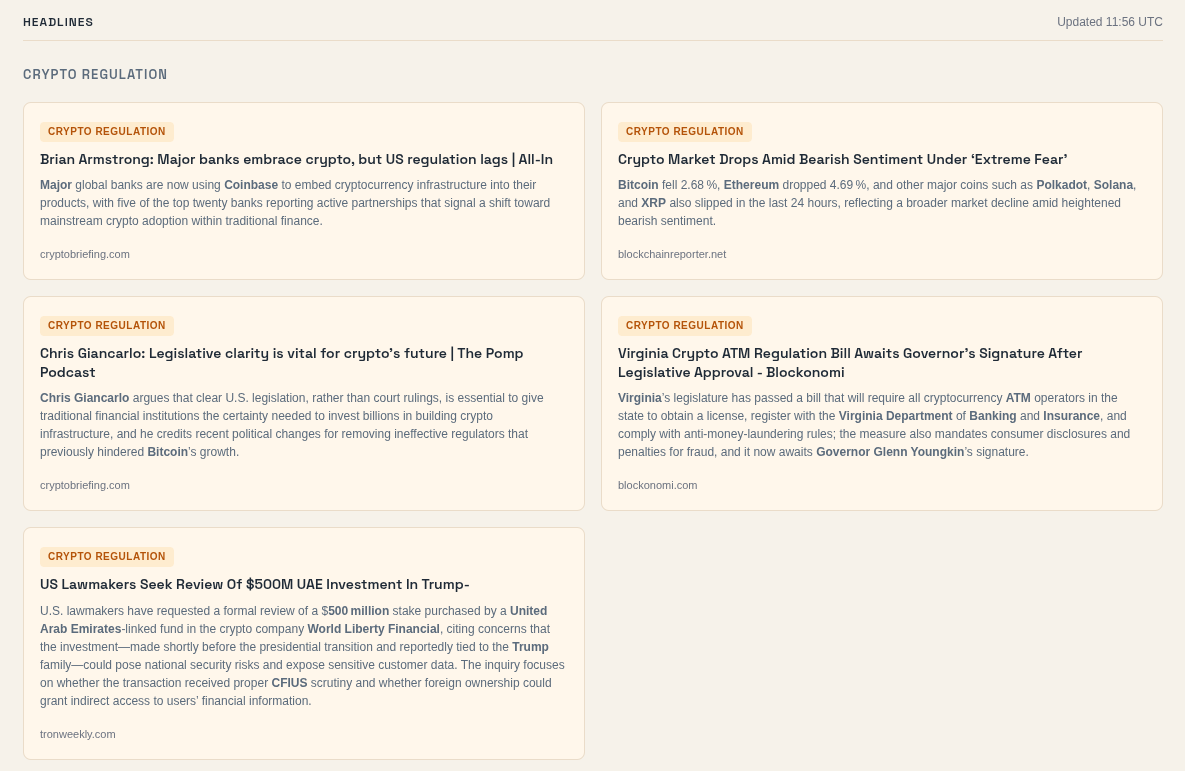
- Headlines: Combines RSS feeds from my bookmarked sites with keyword-based Brave searches to mirror how I naturally find news. This gives me a broad scan of the latest stories across crypto, regulation, and markets.
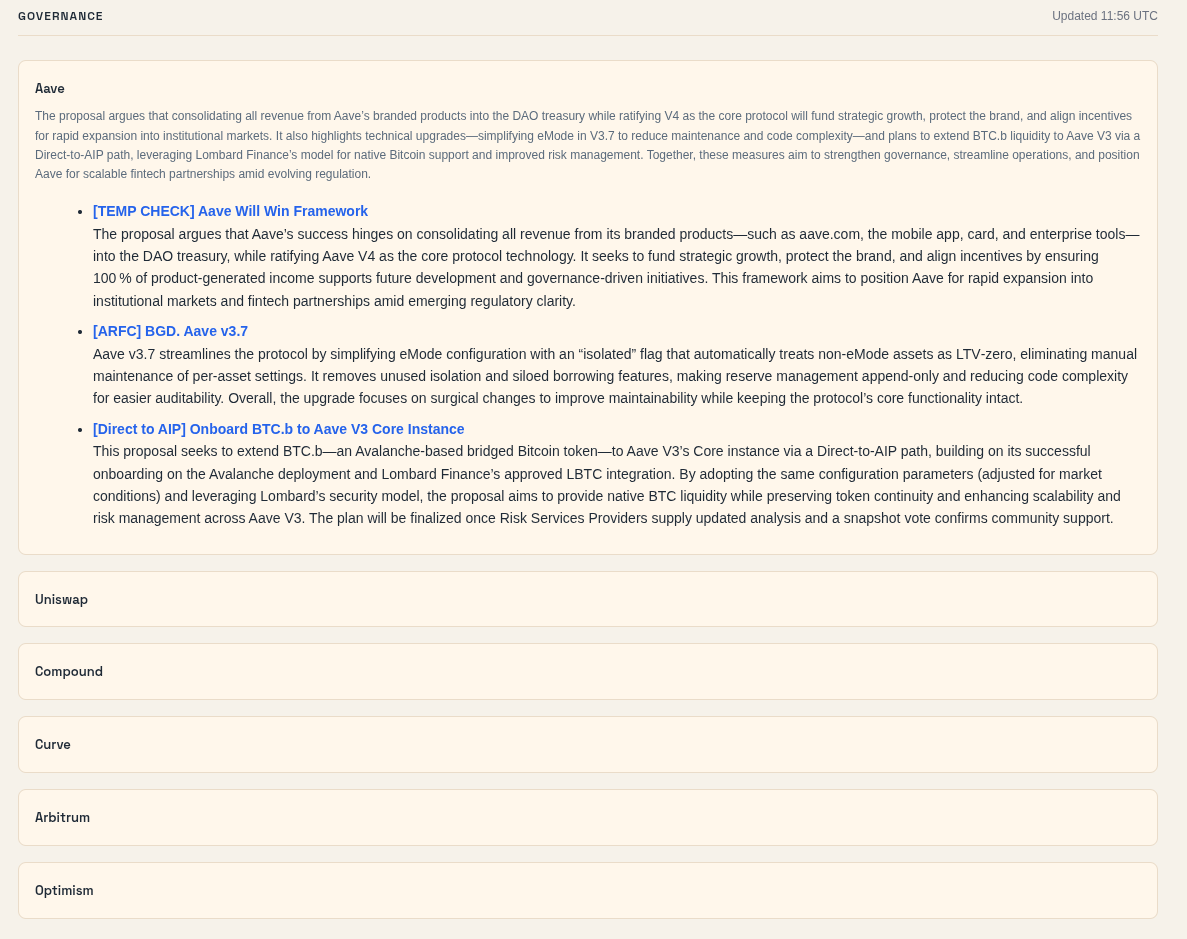
- Governance forums: Monitors governance forums where important financial and structural decisions are proposed before they reach broader social feeds. This helps me catch meaningful changes earlier than if I relied only on X or Reddit.
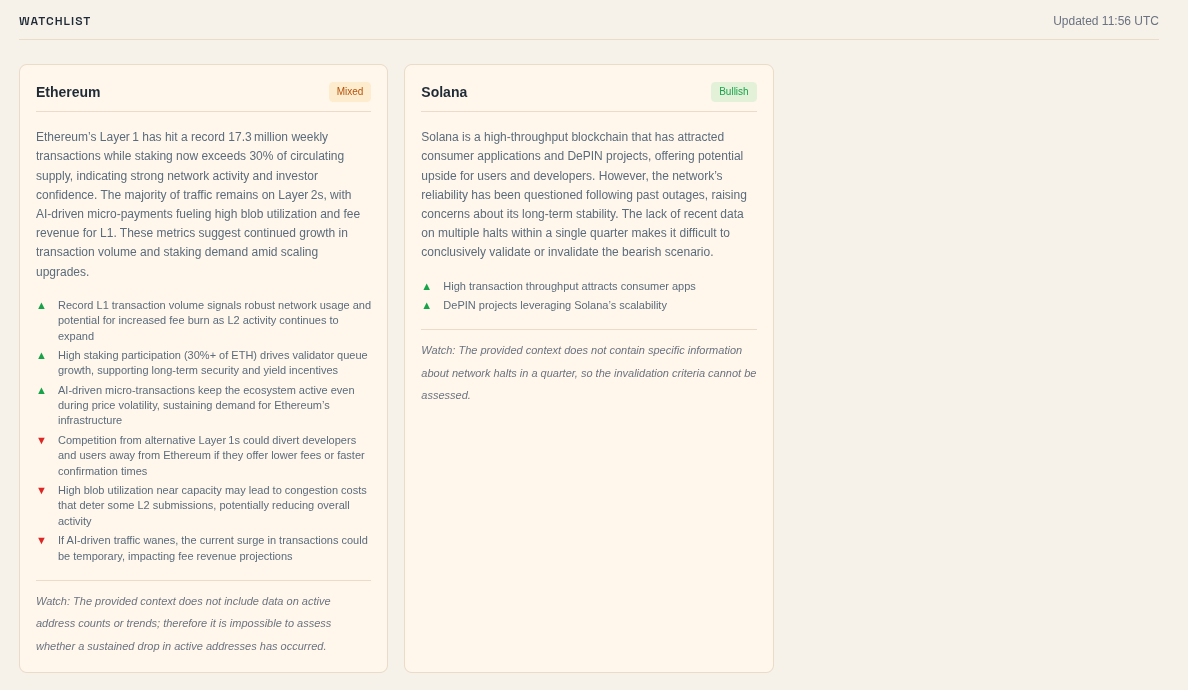
- Watchlist: Uses a CSV of my bull case, bear case, and invalidation criteria to search for updates on portfolio and watchlist names. It then combines articles, Reddit, and Discourse data into structured summaries tied to my existing theses.
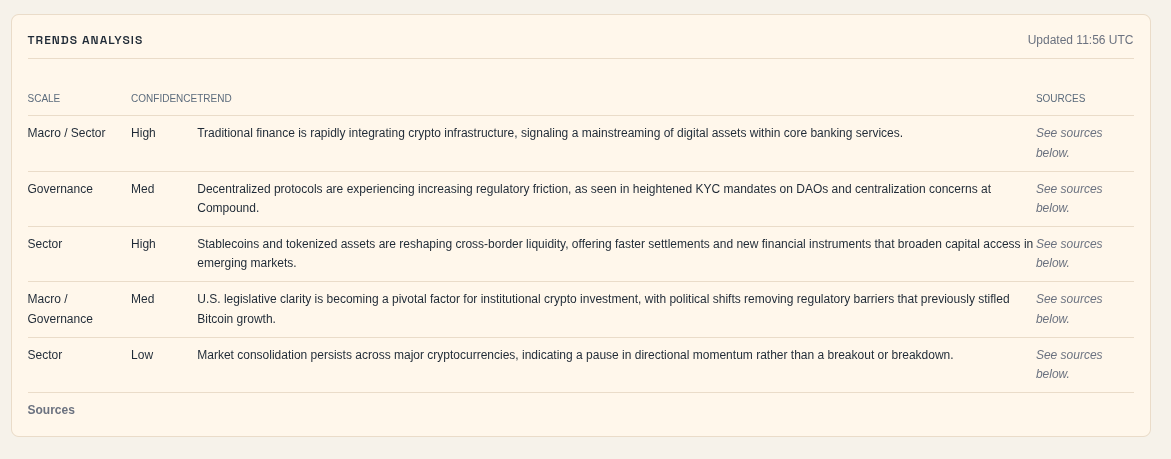
- Trend analysis: Ingests the summaries and titles from the other sections into Chroma to identify cross-source trends. The output highlights recurring themes, categories, confidence levels, and sources so emerging narratives stand out faster.
How does it work?
Everyday at 6AM ET a cron job runs multiple Python scripts that fetch content from a curated list of RSS feeds, APIs, SERP searches, and online forums. Each piece of content is converted to markdown via the Jina API and then served up to an LLM with a structured prompt to print summaries.
For some sections, like “Headlines”, It processes each piece of content separately. In contrast, sections like the hero summary and “trends analysis”, combine the context of multiple markdown files to produce a single output.
These scripts pull from the following sources:
- DeFillama API
- Coingecko API
- Reddit API
- Brave API
- Discourse API
- CSV input (watchlist)
- The fear & greed index API
For the content processing stage I decided to use all locally hosted models via LMStudio. This helps me ensure that any manual inputs and all outputs stay on my local machine, and only touch the internet if I need them to.
The models used in this project include:
- GPT OSS 20b by OpenAI
- Gemma 3 12b IT by Google
- Deepseek R1 0528 Qwen3 8b by Deepseek
For reference, this is my setup:
- Ryzen 7 3700x
- Nvidia RTX 3060 (12gb)
- 32 gb DDR4 RAM
- Samsung 500gb V-NAND SSD
While it’s a modest setup, it’s surprisingly efficient. Using GPT OSS 20b with 100k to 150k context, can generate ~40 tokens/ second. Definitely not as fast as a model running on OpenAIs servers, but still faster than a human can read.
All runs, sources and responses are stored in an SQLite database, and persisted as embeddings via ChromaDB so that I can query in the future. This lets me inspect the results from previous entries to identify trends and other anomalies i may not have noticed otherwise.
While I am currently publishing the output publicly, this project is still in its first stages. Eventually, I intend to expand the featureset, and datasoruces of this system and keep the full output on my local machine so I don’t leak alpha.
Still, this is in its early stages and there is more work to do to make it truly reliable.
Challenges & lessons
To build this, I used Claude Opus 4.5 to help me draft a spec. I passed those instructions to the Codex model configured with OpenCode’s TUI tool.
Altogether, this project took a few weeks to produce reliable outputs. Along the way, I’ve learned a few lessons that I’ll be using in my processes going forward. Here are a few:
- Build a library of APIs and data sources: AI can help you find data sources and APIs, however, this is one of the most important parts of the project to configure so you should have a good understanding of the exact data you need. Even if AI gives you suggestions, you should create a repository of all the sources and what you’re able to derive from them. This helps limit token usage, gives you the knowledge to audit outputs, and ultimately helps you build it faster.
- Prompt structuring: Creating a structured prompt plan using an agent before you build it. Using exact names of libraries/dependencies in the prompt. Similar to databases, knowing specific tools will help put your project closer in the intended direction.
- Documentation: Create a rough to-do list to track all the features you’d like to implement. This serves as your road map and if you include all relevant context and details you can give this list directly to an agent.
- Unit tests: When you’re adding a new data source prompt the agent to create separate scripts that test individual features. LLMs will confidently summarize bad data, so you won’t catch ETL failures from the output alone. Test each data source’s fetch, transform, and load steps independently before anything touches the model.
Although, this does not fetch from X (formerly Twitter), I tend to spend much of my free time on there already so I’m fine with reading news directly from the X app, for now.
So far, reading this summary every morning provides a moderate foundation for staying in the loop in an industry that moves fast.
Over the next few months I want to fine tune the outputs, which could be done by adjusting different settings, including:
- The chunking strategy, which controls how much of the markdown content is ingested into the LLM
- The prompts that are responsible for turning the input into outputs
- The news sources and rules for selecting news articles
- The news sources and rules for selecting websites